
Law Firm Website Security: Protecting Client Trust and Confidential Data Online
Learn how to strengthen law firm website security with encryption, monitoring, and compliance-focused best practices to protect client data and confidentiality.

Law firm websites are not just digital brochures. They handle confidential client communications, process intake forms containing privileged information, and serve as the first point of contact for individuals facing legal challenges. When these websites lack proper security measures, they create direct pathways for unauthorized access to sensitive data that attorneys are ethically bound to protect.
A compromised law firm website can expose client names, case details, and communications, violations that trigger both bar association disciplinary action and mandatory breach notifications under state and federal law. Cybercriminals specifically target legal practices because of the high value of the information they hold, including intellectual property, financial records, and confidential strategy documents. Your website is often the most exposed part of your digital presence, yet many firms treat security as an afterthought rather than a compliance requirement.
For NYC law firms without dedicated IT teams, understanding law firm website security through the lens of client confidentiality and regulatory compliance is not optional. The intersection of professional responsibility rules, data protection laws, and evolving cyber threats demands a proactive approach to securing every component of your online presence, from SSL certificates to contact forms to content management systems.
Key Takeaways
- Law firm website security is an ethical obligation under attorney-client confidentiality rules, not just a technical concern
- Common vulnerabilities like unsecured intake forms and outdated plugins create direct access points for attackers targeting client data
- Compliance-first security practices including encryption, regular monitoring, and incident response planning protect both clients and your firm's reputation
Why Law Firm Website Security Matters More Than Ever

Your firm's website serves as the primary gateway between your practice and prospective clients, making it both a critical business asset and a vulnerable entry point for cyber threats. The confidential nature of legal work combined with the public-facing accessibility of law firm websites creates unique security challenges that can compromise client data, damage your reputation, and expose you to regulatory penalties.
The Law Firm Website As A Digital Front Door
Your website is often the first place potential clients interact with your firm, but it's also where attackers look for opportunities to infiltrate your systems. Law firm websites frequently display attorney biographies, case results, practice area details, and contact forms that collect personally identifiable information before a formal attorney-client relationship exists.
These public-facing elements create multiple attack surfaces. Contact forms and client intake questionnaires capture names, phone numbers, case details, and sometimes financial information. A compromised intake form can expose this data or redirect submissions to bad actors who impersonate your firm to defraud prospective clients.
Website integrations with case management platforms, payment processors, and scheduling tools extend your attack surface further. Each connection point represents a potential pathway into more sensitive systems. Attackers who gain access through a website vulnerability can move laterally into systems containing privileged communications and confidential case files.
Client Trust And First Impressions Online
Clients researching legal representation evaluate your credibility based on your online presence. A website defaced by hackers or flagged by browsers as "not secure" immediately undermines confidence in your ability to protect their confidential matters.
ABA Rule 1.6 requires lawyers to make reasonable efforts to prevent unauthorized access to client information. This obligation extends to your website the moment a visitor submits a contact form or initiates a consultation request. Failure to secure these channels can constitute an ethical violation even if no formal representation has begun.
Visitors notice security indicators. The absence of HTTPS encryption, expired SSL certificates, or browser warnings signal negligence. For clients entrusting you with sensitive legal matters, family law disputes, criminal defense, intellectual property, or business transactions, these red flags suggest you may not safeguard their confidential information adequately.
Reputational And Financial Risks Of A Breach
A compromised law firm website triggers consequences that extend far beyond technical remediation. According to IBM's research, the average data breach costs professional services firms $4.56 million. For small to mid-sized practices, even a fraction of that figure can be devastating.
Direct financial impacts include:
- Emergency IT forensics and remediation services
- Legal notification requirements under state breach laws
- Cyber liability insurance deductibles and premium increases
- Lost billable hours during system downtime
- Potential malpractice claims from affected clients
Reputational damage often exceeds immediate costs. News of a breach spreads quickly among the legal community and can disqualify you from representing clients with stringent security requirements. In April 2025, a UK law firm received a £60,000 fine after inadequate website security contributed to client data appearing on the dark web.
Client referrals dry up when your firm becomes known for a security incident. Prospective clients conducting due diligence will discover breach disclosures, regulatory actions, and negative coverage. Rebuilding trust takes years, while competitors with stronger security postures capture the clients you lose.
Common Vulnerabilities That Put Law Firm Websites At Risk

Law firm website security breaks down most often at three predictable points: outdated software that creates exploitable gaps, weak authentication that opens admin panels to attackers, and misconfigured hosting environments that expose client data. These vulnerabilities are not theoretical risks but documented entry points in the majority of legal sector breaches.
Outdated Software And Unpatched Plugins
Every plugin, theme, and content management system on your website is a potential doorway for attackers. Unpatched software remains the single most exploited vulnerability in law firm website security, accounting for a significant portion of successful breaches.
WordPress sites with outdated plugins are particularly vulnerable. When developers discover security flaws, they release patches to fix them. If you delay those updates, attackers can use publicly available exploit code to compromise your site within hours of a vulnerability becoming known.
The risk multiplies with every additional plugin you install. A contact form that collects prospective client information, a chat widget that captures case inquiries, or an appointment scheduler linked to your calendar all introduce third-party code into your website. Each represents a separate attack surface.
Law firms face unique exposure here because client intake forms often collect privileged information before any formal attorney-client relationship exists. A compromised form plugin can leak names, case details, and contact information directly to unauthorized parties. That is both a confidentiality breach and a bar association ethics violation.
You must maintain a plugin inventory, remove any that are inactive or abandoned by their developers, and apply security updates within 48 hours of release. Outdated plugins left unmaintained for months create known, documented pathways that automated scanning tools detect and exploit at scale.
Weak Login Credentials And Admin Panels
Admin access to your law firm's website should be as protected as access to your case files. Yet weak passwords and exposed login pages remain among the most common law firm website vulnerabilities.
Default usernames like "admin" paired with simple passwords are cracked by automated bots in seconds. Attackers run credential-stuffing attacks that test thousands of username-password combinations per minute against your login page. Without strong password policies and multi-factor authentication, these attacks succeed far too often.
Your website's admin panel is the control center for everything: content, user data, form submissions, and often integrations with case management or payment systems. If an attacker gains admin access, they can inject malware, redirect visitors to phishing sites, steal client information from form databases, or lock you out entirely via ransomware.
The legal industry reports that 68% of breaches involve credential theft, primarily through phishing and brute-force login attacks. Once inside your admin panel, attackers can move laterally into connected systems or exfiltrate data quietly over weeks before detection.
Implement password minimums of at least 12 characters with complexity requirements, enable multi-factor authentication on every admin account, and limit login attempts to block brute-force attacks. Lock down your admin URLs and restrict access by IP address where possible.
Misconfigured Servers And Hosting Environments
Even with secure code and strong passwords, misconfigured servers can expose your entire website and its data to unauthorized access. Hosting environments require precise security settings that many shared or budget providers skip.
Common misconfigurations include leaving directory listings enabled, which allows anyone to browse your server's file structure and download sensitive documents. Failure to enforce HTTPS across all pages means client communications and form submissions travel in plain text, visible to anyone intercepting traffic. Incorrect file permissions can make database credentials or configuration files readable by attackers.
Law firms storing client intake data, case notes, or billing records on web servers face additional compliance exposure. If your hosting environment lacks encryption at rest, those files sit unprotected on disk. If backups are stored on the same server without immutability protections, ransomware can encrypt both your live site and your only recovery option.
Misconfigured servers also fail to log access attempts, leaving you blind to ongoing attacks. Without monitoring and alerting, you may not discover a breach until a client's opposing counsel receives leaked case strategy documents.
Require your hosting provider to demonstrate SOC 2 or ISO 27001 certification, enforce HTTPS with HSTS headers, disable unnecessary services and ports, and implement file integrity monitoring. Review server logs monthly for unusual access patterns or failed login attempts that signal reconnaissance or active attacks.
How Cybercriminals Target Law Firm Websites And Client Portals

Attackers exploit law firm website vulnerabilities to steal confidential client data, intercept sensitive case information, and bypass your firm's perimeter defenses. These web-based attacks target the public-facing systems you use to communicate with clients and prospects, making law firm website security a direct extension of your ethical obligation to protect privileged information.
Phishing Pages Disguised As Firm Websites
Cybercriminals create fake replicas of your firm's website to harvest client credentials and confidential case details. These phishing pages look identical to your legitimate site, down to the logo, color scheme, and SSL certificate indicator in the browser. Attackers register domain names that differ by one character from yours and send targeted emails to your clients claiming they need to "log in to view a case update" or "confirm billing information."
When your client enters their portal credentials on the fake site, attackers capture that username and password. They then use those credentials to access your actual client portal and download everything your client has stored there: retainer agreements, financial records, settlement negotiations, and privileged attorney-client communications.
The reputational damage is immediate and severe. Your client believes your firm's website was compromised. Bar association rules in New York require you to maintain competent technology safeguards, and a successful phishing attack that leads to client data exposure creates potential malpractice exposure regardless of whether the fake site was technically yours.
Protection requires three controls:
- Domain monitoring services that alert you when someone registers a domain similar to yours
- Client education about verifying URLs before entering credentials
- Email authentication protocols like DMARC that prevent attackers from spoofing your firm's email domain in phishing campaigns
SQL Injection And Cross-Site Scripting Attacks
SQL injection and cross-site scripting (XSS) exploit coding vulnerabilities in your website's database and input fields to extract client data directly from your systems. SQL injection attacks target contact forms, case inquiry submissions, and client portal login pages by inserting malicious database commands into text fields. If your website lacks proper input validation, attackers can bypass authentication and dump your entire client database, including names, case types, consultation notes, and contact information.
Cross-site scripting works differently but achieves similar results. Attackers inject malicious JavaScript code into your website through unfiltered comment sections, newsletter signup forms, or case inquiry fields. When another user visits that page, the malicious script executes in their browser and can steal session cookies, redirect them to phishing sites, or capture keystrokes as they interact with your client portal.
These attacks are particularly dangerous for law firms because your website directly integrates with case management systems. A successful SQL injection doesn't just compromise your public website. It creates a pathway into the backend systems where you store work product, financial records, and privileged communications for hundreds of clients.
Web application firewalls, regular security patches, and secure coding practices prevent these attacks. If your website runs on WordPress or another content management system, outdated plugins are the most common entry point for SQL injection and XSS attacks.
Exploiting Client Portals For Data Theft
Client portals create a direct conduit between your internal case management systems and the public internet, making them a priority target for data theft. Attackers focus on weak authentication, session hijacking, and file upload vulnerabilities to access confidential documents your clients share through these portals.
Weak authentication remains the primary risk. If your portal allows simple passwords without multi-factor authentication, attackers use credential stuffing attacks, testing thousands of username and password combinations stolen from other breaches. Once inside, they access retainer agreements, settlement offers, financial affidavits, and other documents your clients uploaded thinking they were secure.
Session hijacking exploits insecure connections. If your client portal doesn't enforce HTTPS for every page or uses weak session management, attackers on public Wi-Fi networks can intercept session tokens and impersonate legitimate users without ever knowing their password.
File upload vulnerabilities let attackers upload malicious files disguised as legitimate documents. When your staff opens what appears to be a client's tax return or contract for review, they're actually executing malware that spreads through your network.
Your portal must enforce multi-factor authentication for all users, maintain current TLS encryption, restrict file types to documents only, and scan every upload for malware before it reaches your internal systems.
Essential Law Firm Website Security Best Practices

Protecting your law firm's website requires three foundational security measures that address the most critical vulnerabilities facing legal practices today. These practices help you comply with bar association confidentiality requirements while safeguarding client intake forms and case management integrations from compromise.
Regular Security Audits And Vulnerability Scanning
Your law firm website contains multiple entry points that cybercriminals actively target, including contact forms, client portals, and third-party integrations with case management systems. Vulnerability scanning identifies these weaknesses before attackers exploit them to access confidential client information.
Schedule automated vulnerability scans at least weekly to detect outdated plugins, insecure configurations, and coding flaws in your website's infrastructure. Many law firms discover critical vulnerabilities only after a breach, when the reputational damage and bar association reporting obligations become unavoidable.
Manual security audits complement automated scanning by examining how your website handles sensitive data from intake forms and client communications. A qualified security professional should review your site quarterly to assess compliance with attorney-client privilege protections and identify risks that automated tools miss.
Key areas to audit:
- SSL certificate validity and configuration
- Plugin and theme update status
- User permission levels and inactive accounts
- Database security and backup procedures
- Third-party integration security
Document each audit and remediation step to demonstrate reasonable cybersecurity measures if you face regulatory scrutiny or a client data breach investigation.
Web Application Firewalls And DDoS Protection
A web application firewall (WAF) sits between your law firm website and incoming traffic, filtering malicious requests before they reach your server. This protection is essential because your website processes confidential client information through intake forms and client portals that standard network firewalls cannot adequately secure.
WAFs block common attack patterns including SQL injection attempts that target client databases and cross-site scripting attacks designed to steal login credentials. For law firms, these protections prevent unauthorized access to case information and client communications stored in website-integrated systems.
DDoS protection prevents attackers from overwhelming your website with fake traffic that makes your site unavailable to legitimate clients. When your website goes down, prospective clients cannot reach you, and existing clients may lose access to their case portals during critical moments.
Essential WAF features for law firms:
- Real-time threat blocking and filtering
- Protection for client login portals
- Geographic restrictions if you only serve local clients
- Logging and alerting for suspicious activity
Most managed WAF services update their threat databases automatically, protecting your law firm website security without requiring technical expertise from your staff.
Strong Access Controls For Website Administrators
Administrative access to your law firm website represents one of the highest security risks because compromised admin credentials give attackers complete control over your site and any client data it processes. Limit admin access to only those staff members who require it for their specific job functions.
Implement multi-factor authentication (MFA) for all administrator accounts without exception. Password-only protection fails regularly, especially when staff reuse credentials across multiple services or fall victim to phishing attempts.
Create role-based access levels so marketing staff, content editors, and system administrators each have only the permissions they need. Remove admin accounts immediately when employees leave your firm, and audit your user list monthly to disable unused accounts.
Admin access security checklist:
- Enforce MFA on all admin accounts
- Use unique usernames (never "admin" or your firm name)
- Require complex passwords changed every 90 days
- Log all administrative actions
- Restrict admin access by IP address when possible
- Review and remove inactive accounts monthly
Many law firm website breaches trace back to a single compromised administrator account that provided access to client intake data, portal credentials, and confidential case information. Your admin access controls directly impact your ability to maintain attorney-client confidentiality and comply with professional responsibility rules.
Securing Client Intake Forms And Contact Pages

Client intake forms are compliance touchpoints that collect sensitive case details, personal identifying information, and privileged communications. Unlike marketing pages, these forms require rigorous security controls to protect attorney-client privilege and meet bar association confidentiality obligations.
Encrypting Data Submitted Through Online Forms
Every field in your intake or contact form must transmit data over HTTPS with a valid TLS certificate. This encrypts information as it travels from the visitor's browser to your server, preventing interception by third parties on public Wi-Fi or compromised networks.
End-to-end encryption goes further by ensuring that form data remains encrypted even after submission. Standard web forms often store submissions in plaintext within your hosting environment or third-party form builder's database. If that service is breached, your clients' intake details become exposed.
Choose form solutions that encrypt submissions at rest, not just in transit. Verify where submitted data is stored and who has access. Many popular form builders route submissions through servers outside your control, creating vendor risk that violates your duty to safeguard confidential information.
For law firm website security purposes, avoid embedding unencrypted forms or using generic contact plugins that lack encryption features. Review your form provider's security documentation and confirm they comply with SOC 2 or equivalent standards for handling sensitive data.
Avoiding Confidential Information In Unsecured Fields
Your intake forms should explicitly instruct visitors not to include detailed case facts, social security numbers, account numbers, or other sensitive identifiers in open text fields. Even with HTTPS enabled, these forms may not meet the threshold for transmitting privileged communications if they lack additional protections.
Place clear disclaimers above intake forms stating that submission does not create an attorney-client relationship and that visitors should limit details until a secure channel is established. This manages both legal risk and data exposure if your form is compromised.
Consider using dropdown menus, checkboxes, and predefined categories instead of large text areas for initial inquiries. This limits the volume of confidential information collected before you've authenticated the client and established a secure portal for ongoing communication.
Bar associations increasingly expect firms to implement reasonable safeguards for digital communications. Collecting extensive case details through an unsecured web form exposes you to disciplinary risk and malpractice claims if that data is breached.
Integrating Forms Safely With Case Management Systems
Many firms connect intake forms directly to case management or CRM platforms to streamline onboarding. These integrations introduce new vulnerabilities if not configured with security in mind. Each connection point between your website and backend systems expands your attack surface.
Use API keys with restricted permissions rather than admin-level access for form integrations. Rotate these keys regularly and revoke access immediately if a plugin or service is discontinued. Review integration logs to detect unauthorized access attempts or unusual data transfers.
Ensure your case management system enforces role-based access controls so that intake data is only visible to authorized personnel. A misconfigured integration can inadvertently expose client information to staff members who shouldn't have access, violating confidentiality rules.
Test integrations in a staging environment before deploying to production. A poorly configured connection can result in data leaks, duplicate records, or intake submissions being sent to the wrong case files. Regular security audits of these integrations are essential for maintaining law firm website security and meeting your ethical obligations to protect client information.
SSL Certificates, Encryption, And Secure Hosting Standards

Law firm website security begins with establishing a foundation of encrypted connections and verified identity through SSL certificates, while your hosting provider must maintain encryption standards that protect client information both during transmission and when stored on servers.
Why HTTPS Is Non Negotiable For Law Firms
Your law firm's website must use HTTPS encryption to comply with bar association confidentiality obligations when prospects submit intake forms or existing clients access case information. Without a valid SSL certificate, any data transmitted through your website travels in plain text, exposing client names, contact details, case descriptions, and other sensitive information to interception.
Modern browsers display security warnings when visitors attempt to access sites without HTTPS encryption. These warnings create immediate trust issues for potential clients evaluating your firm's credibility. Chrome and other browsers now show a "Not Secure" label in the address bar, which can increase bounce rates and prevent prospects from completing contact forms.
Search engines use HTTPS as a ranking factor, meaning your firm's website may appear lower in results without proper SSL implementation. More importantly, Google actively flags non-HTTPS sites as insecure, directly impacting your ability to attract new clients through organic search.
Your SSL certificate also authenticates your firm's identity, preventing malicious actors from creating fake versions of your website to collect client information or distribute malware. This verification protects both your reputation and your clients from phishing attacks targeting law firm website vulnerabilities.
Choosing A Secure Hosting Provider
Your hosting provider controls the server environment where your law firm's website and client data reside. You need a provider that offers automatic SSL certificate installation and renewal, preventing lapses in encryption coverage that create security gaps.
Look for hosting services that include Web Application Firewalls (WAF) to filter malicious traffic before it reaches your site. These firewalls block common attacks targeting law firm websites, including SQL injection attempts and cross-site scripting that could compromise client intake forms or case management portal integrations.
Essential hosting security features for law firms:
- Automated SSL certificate management and renewal
- Daily or real-time backups with secure off-site storage
- Server-level malware scanning and threat detection
- DDoS protection to prevent service disruptions
- Regular security patches and updates
- Compliance with data protection regulations
Your hosting environment should maintain separate staging and production environments, allowing you to test website updates without exposing your live site to potential vulnerabilities. Shared hosting plans often lack the security controls necessary for securing a law firm website, making dedicated or managed hosting preferable despite higher costs.
Encrypting Data In Transit And At Rest
Data in transit refers to information moving between your website visitor's browser and your server, while data at rest describes information stored on your hosting provider's servers. Both require encryption to maintain client confidentiality and meet bar association security standards.
HTTPS encryption using TLS 1.2 or higher protocols protects data in transit when clients submit contact forms, upload documents, or access secure portals. This encryption prevents man-in-the-middle attacks where cybercriminals intercept communications to steal client information or inject malicious code.
Data at rest encryption protects stored information even if someone gains unauthorized access to your server. Your hosting provider should encrypt databases, file systems, and backups using AES-256 or equivalent standards. This ensures that contact form submissions, consultation requests, and other client information remain protected beyond the initial transmission.
Many law firms fail to verify whether their hosting provider encrypts database backups, creating a significant law firm website security gap. An encrypted website means nothing if backup files containing the same client data remain unencrypted and vulnerable to theft during storage or transfer.
Content Management System Security For Law Firm Websites

Your CMS platform holds everything from client intake submissions to contact databases, making it a primary target for attackers seeking privileged legal information. Vulnerabilities in your CMS core, plugins, or user access controls can expose confidential client communications and trigger bar association ethics violations.
Keeping WordPress And Other CMS Platforms Updated
WordPress vulnerabilities emerge constantly, with security patches released regularly to address critical flaws that could allow unauthorized access to your entire site. Law firms must treat these updates as urgent compliance tasks rather than optional maintenance.
Apply security updates within 48-72 hours of release, but never push updates directly to your live site without testing first. Use a staging environment to verify that updates don't break your client intake forms, document portals, or payment processing features. A broken intake form costs you cases, but an untested update that crashes your site during business hours creates immediate operational disruptions.
Plugin updates present the most common attack vector for law firm website security breaches. Every installed plugin adds code that might contain vulnerabilities or conflicts with other components. Abandoned plugins, those without updates in six months or more, should be removed immediately since developers are no longer patching security flaws.
Theme security requires equal attention to core and plugin updates. Your custom theme might contain outdated libraries or unpatched vulnerabilities that expose client data. Review theme update logs before applying them to identify any security-related fixes that need immediate implementation.
Configure automatic updates for minor WordPress security releases while manually reviewing major version changes. This approach ensures critical security patches deploy quickly while preventing compatibility issues with custom functionality your firm relies on for client communication.
Managing Plugins And Third Party Integrations Safely
Every plugin you install expands your attack surface by adding external code to your law firm website. Contact form plugins, calendar scheduling tools, and payment processors all handle sensitive client information that falls under attorney-client privilege protections.
Audit your current plugins using these criteria:
- Active maintenance: Last update within 90 days indicates ongoing developer support
- Security track record: Review plugin vulnerability databases for past security issues
- User reviews: Check for reports of conflicts, data handling problems, or support responsiveness
- Actual necessity: Remove any plugin you're not actively using for client service or practice management
Third party integrations connecting your CMS to practice management software, CRM systems, or scheduling platforms create additional security considerations. Each integration point requires its own authentication credentials, data transmission protocols, and access permissions. Use API keys rather than storing full credentials in your CMS when possible, and rotate these keys quarterly or after any staff departure.
Verify that integrations transmit data over encrypted connections (HTTPS/SSL). Client information submitted through your website intake form shouldn't travel across the internet in plain text before reaching your case management system. Review integration logs periodically to identify any unusual data access patterns that might indicate compromised credentials.
Limit plugin permissions to only what each tool needs to function. A contact form plugin doesn't need administrative access to your entire WordPress installation. It only needs permission to capture form submissions and send email notifications.
Limiting User Roles And Permissions
Multiple people typically need WordPress access at law firms: attorneys, paralegals, marketing staff, IT providers, and external consultants. Each user account represents a potential entry point for unauthorized access if credentials are compromised or misused.
Implement the principle of least privilege by granting users only the minimum access level required for their specific responsibilities. WordPress offers distinct user roles with different permission levels: Administrator, Editor, Author, Contributor, and Subscriber. A paralegal publishing blog posts needs Editor access, not Administrator privileges that allow plugin installation or user deletion.
Review user accounts quarterly to address these security gaps:
Two-factor authentication must be mandatory for all WordPress user accounts handling client information. Username and password combinations provide insufficient protection against phishing attacks and credential stuffing attempts that target law firms specifically for their valuable client data.
Document who has access to your CMS and why. This audit trail demonstrates reasonable security measures if bar association questions ever arise about your client data protection practices. It also helps during security incident investigations to identify which accounts might have been compromised.
Disable the default "admin" username that WordPress installations often create. Attackers know to target this common username in brute force attacks against law firm websites. Use unique, non-obvious usernames that don't reveal partner names or firm structure.
Preventing Website Defacement And Malware Injection Attacks
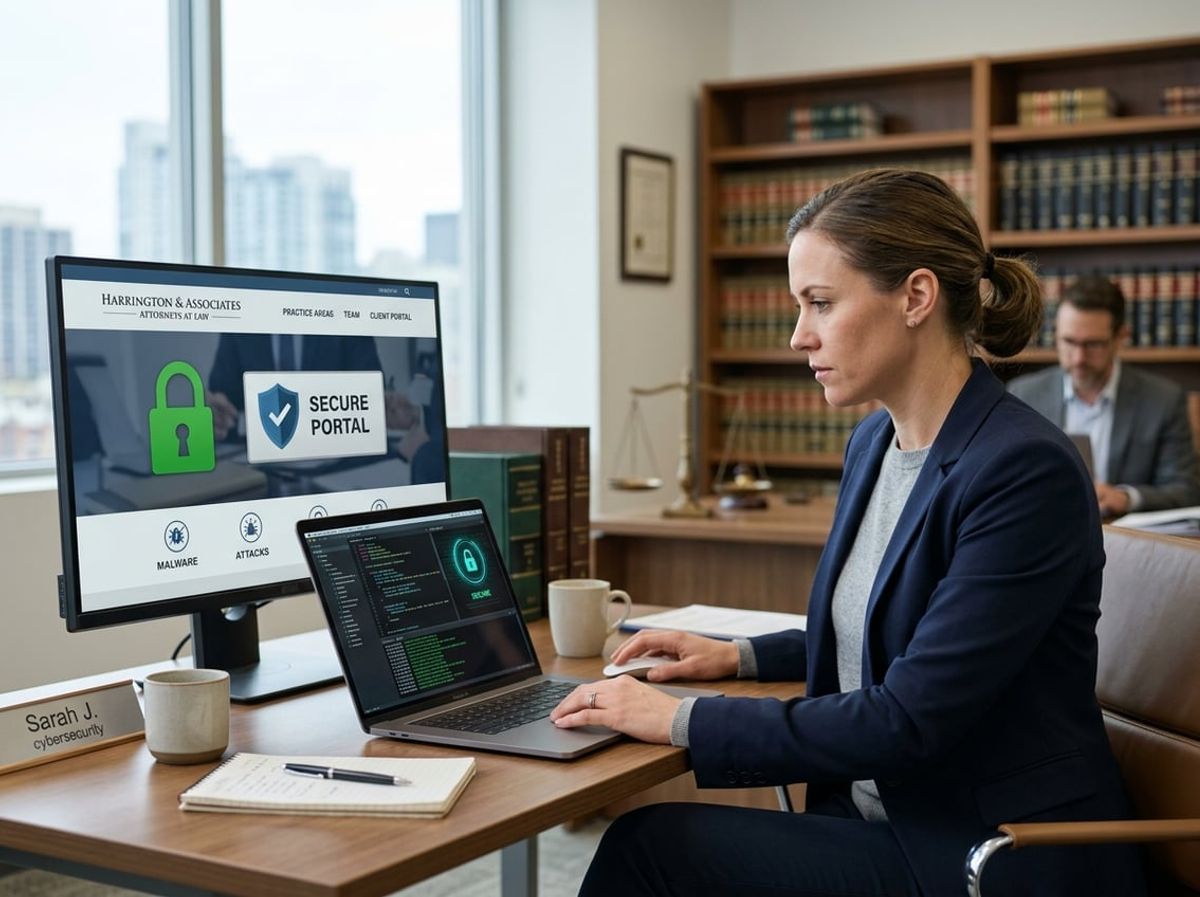
Website defacement and malware injection represent two of the most visible and damaging threats to law firm website security. Defacement exposes your firm to immediate reputational harm when clients or prospects visit your site, while malware injection can compromise client intake forms, steal credentials, and create liability under attorney confidentiality obligations.
Recognizing Signs Of Website Compromise
Your firm's website may be compromised long before visible defacement occurs. Look for unexpected redirects when staff or clients attempt to access case intake forms or attorney bio pages. Monitor for new administrative accounts in your content management system that your IT provider did not create.
Client complaints about security warnings in their browsers signal that malware may have been injected into your pages. Google Search Console notifications about detected malware or security issues require immediate attention, as Google may remove your firm from search results entirely.
Check for unauthorized file uploads in directories that should only contain images or PDFs from legitimate case materials. Attackers often upload PHP shells disguised as image files to gain persistent access. Review server logs for POST requests to unexpected paths or requests containing encoded payloads that indicate exploitation attempts.
Visual changes to your homepage, contact forms, or attorney profiles are the most obvious signs. However, many attacks modify only hidden elements like form submission endpoints to capture prospective client information without visible changes to your site's appearance.
Malware Scanning And Removal Protocols
Implement automated malware scanning at the server level rather than relying solely on browser-based checks. Tools like Wordfence for WordPress or Sucuri SiteCheck scan your law firm's website files against known malware signatures and compare core files against clean versions from official repositories.
Schedule daily scans during off-peak hours and configure alerts to notify your IT provider immediately when threats are detected. Manual scanning after any plugin or theme update catches compromised components before they can execute malicious code.
Critical scanning areas for law firms:
- Contact and case intake form handlers
- File upload directories for client document submission
- Plugin directories, especially for CRM integrations
- Theme template files that render sensitive pages
- Database tables storing form submissions
When malware is detected, take your website offline immediately with a clean maintenance page to prevent further client data exposure. Never attempt to manually remove malware from a live site, as attackers often plant multiple backdoors that persist after superficial cleanup.
Restoration from a verified clean backup is the only reliable removal protocol. Your IT provider must identify the initial compromise date through forensic log analysis to ensure the backup predates the attack, otherwise you simply restore the backdoor along with your content.
Backup And Recovery For Website Files
Daily automated backups are non-negotiable for law firm website security, with backup files stored on separate infrastructure from your web server. Shared hosting environments where backups sit on the same compromised server provide no protection during an attack.
Your backup protocol must capture the complete website file system, database content including client intake form submissions, and server configuration files. Test restoration procedures quarterly by actually restoring to a staging environment, not just verifying that backup files exist.
Essential backup components:
Implement version control for custom code and integrations with your case management system. Git repositories provide granular recovery options when malware modifies specific files rather than replacing entire pages.
Before restoring after an attack, your IT provider must update all CMS software, change every administrative password, and close the vulnerability that permitted the initial compromise. Restoring to a still-vulnerable environment simply restarts the attack cycle. Document the incident and remediation steps for potential bar association inquiries about client data protection.
Website Security As Part Of Regulatory Compliance

Law firm website security is not just a technical issue. It is a regulatory requirement tied to your ethical obligations. Bar associations impose strict confidentiality duties that extend to any digital platform where client information may be collected or transmitted, and your website is no exception.
Client Confidentiality Obligations Under Bar Rules
The ABA Model Rules of Professional Conduct require attorneys to make reasonable efforts to protect client information from unauthorized disclosure. This obligation applies the moment a prospective client submits a contact form on your website. State bar associations have increasingly clarified that reasonable efforts include implementing basic cybersecurity measures on client-facing digital platforms.
If your website uses HTTP instead of HTTPS, form submissions travel in plain text across the internet. This violates your duty of confidentiality before you even establish an attorney-client relationship. Bar associations in New York, California, and Florida have all issued ethics opinions stating that lawyers must use encryption when transmitting confidential information electronically.
Your website is often the first point of contact with potential clients. When someone fills out an intake form describing their legal issue, that information is protected by confidentiality rules even if you decline representation. A compromised website that exposes this data can result in disciplinary action, malpractice claims, and reputational damage that no marketing campaign can repair.
Aligning Website Security With Data Protection Standards
Beyond bar rules, law firm website security must align with applicable data protection regulations. If you serve California residents, the California Consumer Privacy Act (CCPA) requires specific disclosures about data collection and security practices. If you handle medical information in personal injury or medical malpractice cases, HIPAA considerations may apply to how you collect and store client intake information.
GDPR compliance is mandatory if you represent clients in the European Union or collect data from EU residents through your website. This requires explicit consent mechanisms, clear privacy disclosures, and the ability to delete user data upon request. Even if federal regulations do not directly apply to your practice, industry data protection standards represent the baseline for what courts and bar associations consider "reasonable efforts."
Your website should implement the same security standards you would apply to any system handling confidential client information: encrypted data transmission, secure storage of form submissions, regular security patches, and access controls limiting who can view submitted information.
Documenting Security Measures For Client Assurance
Demonstrating compliance requires documentation. Your website should include a detailed privacy policy explaining what data you collect, how you protect it, how long you retain it, and who has access. This is not just a legal formality. It is evidence that you have made reasonable efforts to protect confidentiality.
Maintain records of security measures implemented on your website: SSL certificate installation dates, backup schedules, software update logs, and security scan results. If a data breach or bar complaint occurs, this documentation proves you took proactive steps to secure client information.
Consider adding a security page or statement on your website explaining your commitment to client confidentiality and the specific measures you have taken. This transparency builds trust with prospective clients while creating a documented record of your compliance efforts. When clients see that you take website security seriously, they gain confidence that you will handle their confidential matters with the same level of care.
Ongoing Monitoring, Maintenance, And Incident Response

Law firm website security requires continuous vigilance and systematic upkeep to protect client data and maintain compliance with bar association confidentiality rules. Detection systems, regular updates, and documented response procedures form the backbone of a secure web presence for legal practices.
24/7 Website Monitoring For Suspicious Activity
Website monitoring systems track your law firm's site around the clock for unauthorized access attempts, malware injections, and unusual traffic patterns that could indicate a breach. These systems alert you to threats targeting client intake forms, case inquiry submissions, and login portals where sensitive information passes through your site.
For law practices, 24/7 monitoring means immediate detection when attackers attempt to exploit vulnerabilities in contact forms or payment processors integrated with your website. Monitoring tools scan for file changes, suspicious database queries, and known attack signatures specific to WordPress, legal management integrations, and other platforms common in the legal sector.
Without continuous monitoring, a breach affecting client confidentiality could go undetected for weeks or months. This exposure period increases your regulatory risk and the scope of required disclosure to affected clients and bar authorities.
Patch Management And Update Schedules
Patch management involves applying security updates to your website's core platform, plugins, themes, and server software on a defined schedule before vulnerabilities become exploitable. Law firm websites typically run on content management systems that release security patches monthly or more frequently when critical flaws are discovered.
Your update schedule should prioritize security patches within 48 hours of release for critical vulnerabilities. Routine updates can follow a weekly or bi-weekly schedule with testing protocols to ensure plugins handling client data or case management integrations continue functioning properly after updates.
Neglected updates create documented vulnerabilities that attackers actively scan for and exploit. If your site runs outdated software and suffers a breach, this negligence becomes part of the incident record during regulatory review.
Responding To A Website Security Incident
Incident response starts with immediate containment to prevent further data exposure. Your response protocol should include taking the compromised site offline, isolating affected servers, and notifying your managed IT provider or security team within the first hour of detection.
Documentation requirements for law firms make incident response more complex than typical business websites. You must preserve logs, identify what client information was accessed, and determine your notification obligations under bar rules and data breach laws.
Your response plan should specify who contacts affected clients, how you report to relevant bar associations, and what forensic analysis steps you take to understand the breach scope. Most regulatory frameworks require written notification within specific timeframes once you confirm protected data was compromised.
Having a documented incident response plan specific to law firm website security reduces confusion during an actual breach and demonstrates reasonable care in your data protection practices.
Building A Long-Term Law Firm Website Security Strategy

Sustained law firm website security requires continuous assessment of vulnerabilities, strategic partnerships with providers who understand legal compliance requirements, and proactive planning for evolving cyber threats that target attorney-client communications and confidential case data.
Assessing Current Website Security Posture
Your first step involves conducting a thorough security posture assessment of your law firm's web presence. This evaluation should examine how your website handles client intake forms, contact submissions, and any integrations with case management systems that could expose protected client information.
Document all entry points where data flows into your systems. Review SSL certificate validity, server configurations, plugin versions, and user access permissions. Many law firm websites contain outdated components that create exploitable vulnerabilities.
Test your website's response to common attack vectors including SQL injection attempts, cross-site scripting, and brute force login attacks. Evaluate whether your hosting environment provides adequate DDoS protection and intrusion detection capabilities.
Consider how your current setup aligns with ABA Rule 1.6 requirements for reasonable efforts to prevent unauthorized access to client information. A comprehensive assessment reveals gaps between your obligations under bar association rules and your actual security controls. This baseline becomes essential for measuring improvements and demonstrating due diligence if a breach occurs.
Partnering With A Compliance-Focused IT Provider
Generic web hosting or standard managed IT for law firms often lacks the specialized knowledge required to protect attorney-client privileged communications flowing through your website. Your IT provider must understand the intersection of cybersecurity and legal ethics.
Look for providers who can articulate how their services address HIPAA compliance for personal injury firms handling medical records, GDPR considerations for international clients, and state-specific breach notification requirements. They should implement role-based access controls, maintain audit trails, and provide documentation that supports your compliance obligations.
A compliance-focused IT provider conducts regular vulnerability scans specific to law firm website security risks. They monitor for unauthorized changes to web forms that could redirect client information to malicious actors. They also maintain response protocols that align with your ethical duty to notify affected clients promptly if a breach occurs.
Verify that potential partners carry appropriate cyber liability insurance and can provide references from other legal practices. ELMIDA Solutions specializes in these compliance requirements for NYC law firms, offering security frameworks built around legal industry regulations rather than generic business IT standards.
Future-Proofing Against Emerging Web Threats
Future-proofing your law firm website security means preparing for threats that don't exist yet. Cybercriminals increasingly use AI-powered tools to identify vulnerabilities in legal websites and craft sophisticated phishing attempts targeting lawyers and staff.
Implement a patch management schedule that addresses zero-day vulnerabilities quickly without disrupting client access. Establish monitoring for emerging threats specific to legal technology, including exploits targeting common WordPress plugins used by law firms or vulnerabilities in client portal software.
Build redundancy into your security architecture. Your disaster recovery plan should enable you to restore your website quickly if ransomware encrypts your web server, ensuring clients can still reach you during an incident.
Budget for annual security audits and penetration testing that simulate real-world attacks on your website infrastructure. These proactive measures cost significantly less than the average $4.56 million breach cost for professional services firms.
Schedule a conversation with ELMIDA Solutions to evaluate your current law firm website security posture and develop a compliance-first strategy that protects client confidentiality while positioning your practice as trustworthy and technologically competent.

Law firm website security raises specific questions about compliance obligations, vulnerabilities unique to legal practices, and the intersection of technology with attorney ethics rules. The answers below address common concerns NYC law firms face when securing client-facing websites that handle confidential information.