
Phishing Prevention for Law Firms: A Compliance-First Defense Strategy
A compliance-first guide to phishing prevention for law firms, covering NYC-specific threats, technical controls, staff training, and regulatory duties.

Phishing is the leading entry point for cyberattacks against law firms, accounting for the majority of data breaches that compromise client confidentiality and trigger regulatory scrutiny. Unlike other industries, law firms hold uniquely sensitive information, including privileged communications, corporate transactions, and litigation strategy, that makes them high-value targets for cybercriminals who exploit trust-based relationships between attorneys and clients. Phishing prevention for law firms is not a technical convenience but a professional obligation tied directly to a lawyer's duty to protect client confidentiality and to maintain the level of competence that responsible use of technology demands, both of which the New York Rules of Professional Conduct address in general terms. For managing partners and office administrators at NYC law firms without dedicated IT security staff, the challenge is clear: you must implement defenses that address both the technical and human dimensions of phishing.
Your firm's exposure extends beyond stolen credentials or wire fraud. A single successful phishing attack can lead to unauthorized access to case files, disclosure of privileged communications, and regulatory investigations that threaten your reputation and license to practice. The attackers targeting legal professionals understand your workflows, mimic court notices and client communications, and exploit the urgency inherent in legal deadlines. Effective phishing prevention for law firms requires a multi-layered strategy that combines email authentication protocols, staff training, simulated testing, and incident response procedures designed specifically for the legal environment.
This guide provides NYC law firms with a compliance-first framework for building and maintaining phishing defenses that protect client confidentiality, satisfy regulatory obligations, and reduce the risk of successful attacks. You will learn how to recognize the tactics used against legal professionals, implement technical controls that stop phishing before it reaches your inbox, train your team to respond correctly under pressure, and measure your defense posture over time.
Key Takeaways
- Phishing prevention is a mandatory compliance obligation for law firms tied to attorney-client privilege and regulatory duty
- Effective defense requires both technical controls like email authentication and human-focused training through simulated phishing tests
- NYC law firms must implement multi-layered strategies that address the unique tactics attackers use against legal professionals
Why Phishing Prevention for Law Firms Is a Compliance Imperative
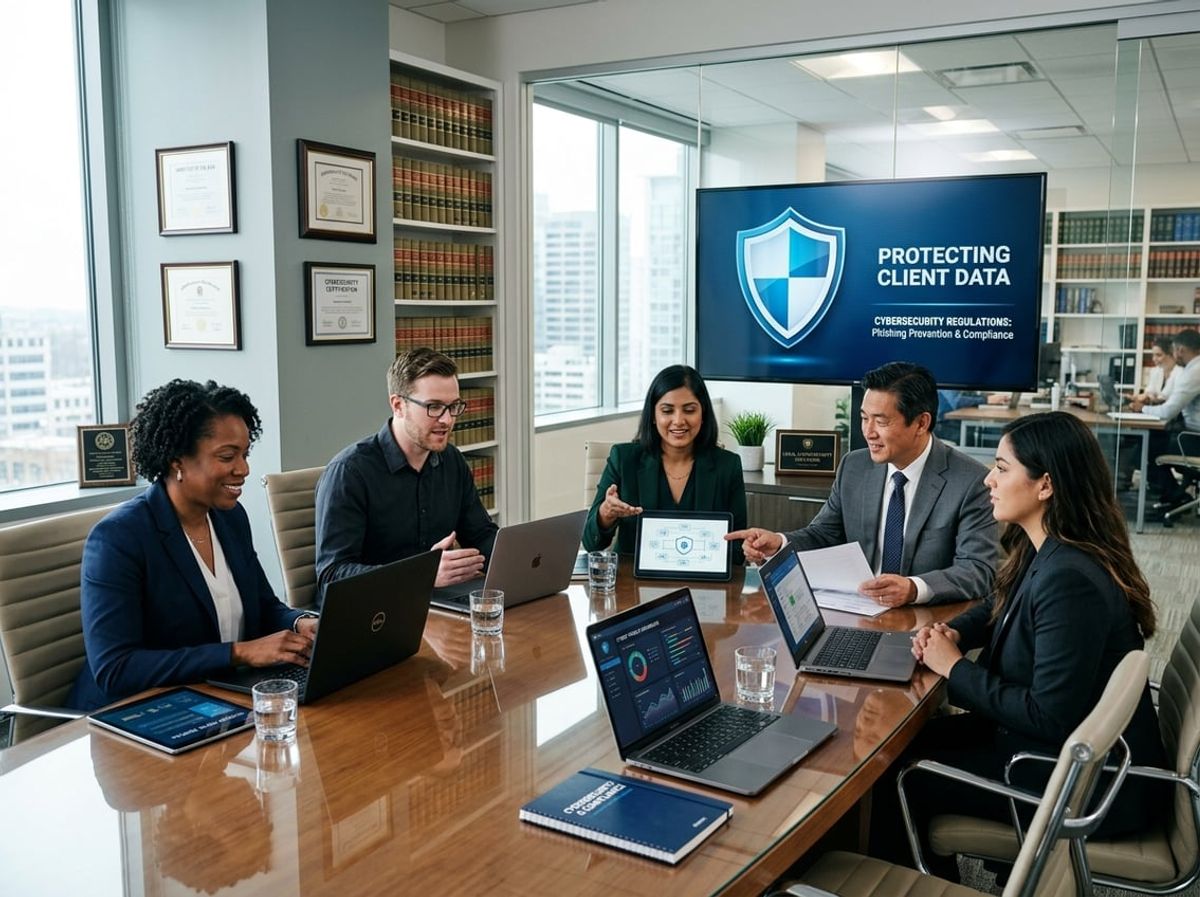
Law firms face legal and ethical obligations that transform phishing prevention from an IT concern into a compliance requirement. The combination of valuable client data, professional responsibility rules, and financial exposure creates unique risks that demand structured prevention measures.
Phishing as the Leading Cause of Law Firm Data Breaches
Phishing accounts for the majority of successful cyberattacks against legal practices. According to recent data, 43% of breaches impact firms with fewer than 100 employees, and law firms are specifically targeted because of their access to sensitive client information, intellectual property, and financial accounts.
Your firm handles merger negotiations, estate planning documents, and litigation strategy. These materials are valuable to cybercriminals who use phishing emails to impersonate clients, court clerks, or opposing counsel. Attackers exploit the trust-based communication model inherent to legal practice.
Common phishing vectors targeting law firms include:
- Email compromise impersonating existing clients requesting wire transfers
- Fake court filing notifications containing malicious links
- Spoofed vendor invoices targeting accounting staff
- Credential harvesting through fake document sharing portals
The professional relationships you maintain create vulnerabilities that generic phishing filters cannot address. Attackers research your clients, cases, and communication patterns to craft convincing messages that bypass both technical controls and user vigilance.
Regulatory and Ethical Duties Tied to Client Confidentiality
Your obligation to protect client data is not optional. The New York Rules of Professional Conduct impose a duty on lawyers to make reasonable efforts to prevent unauthorized disclosure of confidential information. Those same rules extend the general duty of competence to understanding technology risks, including cybersecurity threats that could affect client matters.
New York Rules of Professional Conduct impose similar duties. You must implement reasonable measures to protect client confidentiality, and state bar associations have disciplined attorneys for failing to prevent data breaches.
Your compliance obligations include:
- Maintaining attorney-client privilege through technical and administrative safeguards
- Meeting HIPAA requirements if you handle health information
- Complying with state data breach notification laws
- Satisfying client contractual security requirements
A successful phishing attack that exposes client data can trigger mandatory breach notifications, state attorney general investigations, and professional discipline proceedings. Your malpractice insurance may not cover losses from inadequate cybersecurity measures.
The Cost of a Single Successful Phishing Attack
Data breaches cost firms an average of $4.45 million according to current industry analysis. For smaller practices, a single incident can be financially devastating.
Direct costs include forensic investigation, legal counsel, breach notification, credit monitoring services, and regulatory fines. You will also face business interruption if ransomware encrypts your document management system or email.
Indirect costs often exceed direct expenses:
- Loss of client trust and relationship termination
- Reputational damage affecting new business development
- Increased malpractice insurance premiums
- Staff time spent on remediation and recovery
Beyond financial impact, you risk losing cases due to compromised litigation strategy or missed deadlines during system outages. Opposing parties may gain access to privileged communications, creating conflicts that force you to withdraw from representation. The professional consequences of a preventable phishing attack extend far beyond the immediate technical breach.
Understanding the Phishing Threat Landscape Facing NYC Law Firms

NYC law firms face a distinct phishing threat landscape shaped by the value of client data, access to financial transactions, and the privilege protecting your communications. Attackers use spear phishing techniques designed specifically for legal professionals, exploiting case information and staff hierarchies to gain access to protected client files and trust accounts.
Why Attorneys Are High-Value Phishing Targets
Your firm holds three assets that make you a premium target for phishing attacks: privileged attorney-client communications, client trust account access, and confidential case files.
A successful phishing attack against your firm can expose merger negotiations, intellectual property litigation documents, or estate planning records that attackers sell to competitors or use for extortion. Unlike other professional services, attorneys carry an ethical duty of confidentiality under the New York Rules of Professional Conduct, meaning that a preventable security failure leading to the disclosure of client confidences can give rise to both disciplinary exposure and civil liability.
Trust accounts represent immediate financial gain for attackers. Wire fraud schemes targeting law firms typically begin with phishing emails that appear to come from clients or co-counsel, requesting changes to payment instructions. These schemes specifically target the small to mid-sized NYC legal sector where partner-level attorneys often handle their own email without dedicated security staff reviewing suspicious requests.
Your case files contain Social Security numbers, financial records, and medical information that trigger notification requirements under New York's SHIELD Act. A single compromised email account can expose hundreds of client matters simultaneously, creating regulatory obligations and malpractice exposure that exceed the direct costs of the breach itself.
Trends in Legal Sector Cyberattacks
Phishing remains the leading attack vector in the legal sector, with industry reports identifying it as the entry point in over half of successful law firm breaches. The methods have evolved beyond generic "Nigerian prince" emails to sophisticated campaigns researched specifically for your practice areas and client base.
Current phishing threats targeting law firms include:
- AI-enhanced email campaigns that mimic your writing style and reference real case names
- Deepfake voicemails directing staff to credential harvesting sites
- Vishing attacks where callers impersonate court clerks or opposing counsel
- Compromised vendor emails from legitimate e-discovery or court reporting services
Business email compromise schemes have become more targeted in 2025 and 2026. Attackers monitor your email patterns before striking, sending payment requests timed to match your normal closing schedules. These attacks often bypass traditional email filters because they come from legitimate accounts that have already been compromised through earlier phishing campaigns.
Ransomware deployment increasingly follows successful phishing as the initial access method. The attackers establish persistence in your network through a compromised email account, then spend weeks exfiltrating client files before deploying encryption. This dual-extortion model threatens both operational disruption and confidentiality breaches that trigger New York State Bar reporting obligations.
How Attackers Research Law Firm Staff and Case Data
Phishing attackers conduct reconnaissance on your firm before launching campaigns. They gather information from public sources to craft convincing emails that reference real cases, clients, and internal procedures.
Your firm's website provides organizational structure, practice areas, and attorney names that attackers use to map reporting relationships. LinkedIn profiles reveal who handles specific matters and which staff members are new to the firm. Court dockets and PACER filings expose active cases, opposing counsel names, and filing deadlines that attackers incorporate into spear phishing emails.
Attackers monitor your staff's social media to identify out-of-office periods when partners are traveling or associates are in court. These windows create opportunities for urgent payment requests that appear to come from attorneys who cannot be immediately reached for verification.
Email metadata from previous correspondence leaks information about your internal communication patterns. When one person at your firm falls for a phishing attack, the attacker gains access to email threads showing how your team discusses client matters, which templates you use for wire instructions, and which staff members have authority to approve payments.
The NYC legal sector faces concentrated risk because multiple firms work on related matters with overlapping client relationships. A breach at co-counsel or an opposing firm can expose your client information and provide attackers with legitimate context to target your staff with highly specific phishing campaigns.
Common Phishing Tactics Used Against Legal Professionals
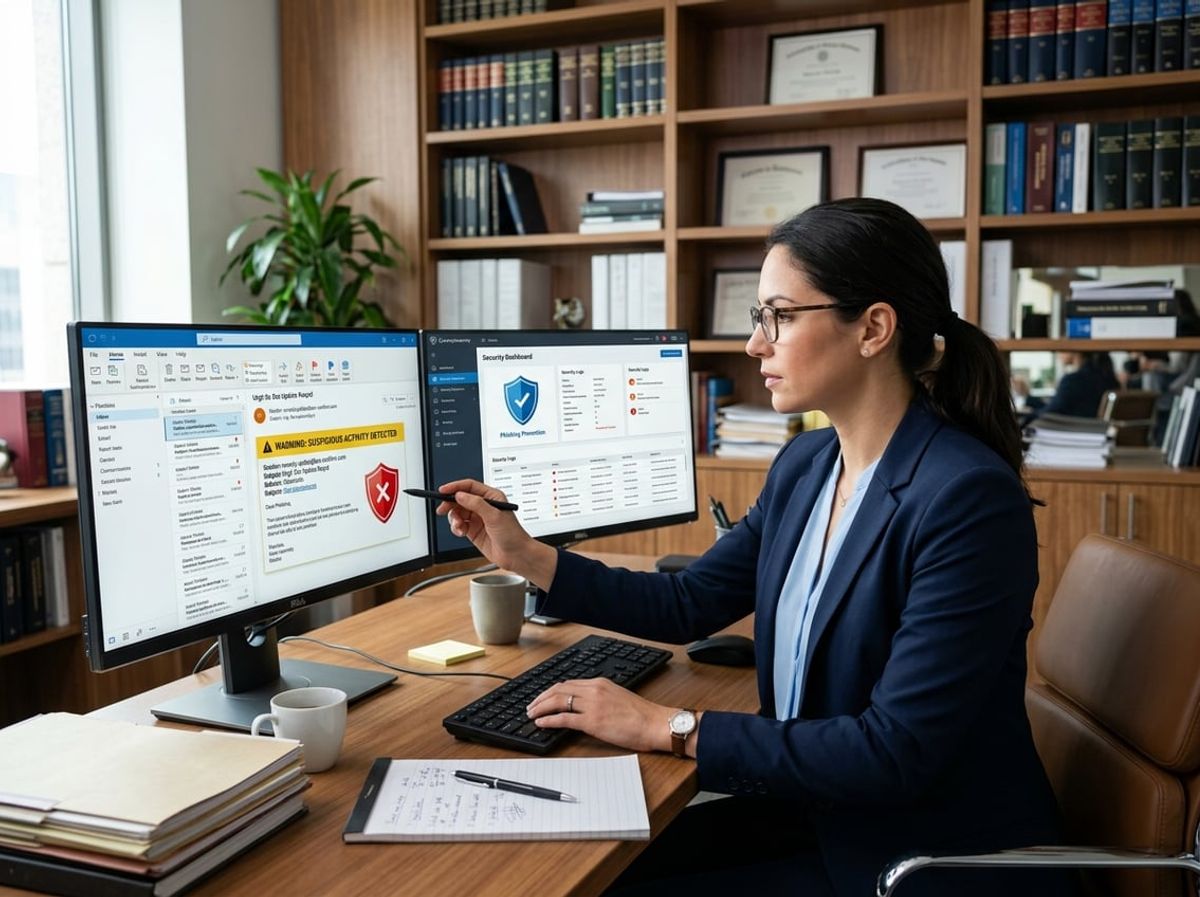
Attackers targeting law firms use tactics designed to exploit the daily routines of legal work. These methods manipulate trust relationships between attorneys and clients, the urgency of court deadlines, and the frequency of wire transfers in settlements and escrow transactions.
Spear Phishing Targeting Partners and Paralegals
Spear phishing attacks against your firm involve personalized messages crafted using publicly available information about specific attorneys, paralegals, or support staff. Attackers research your firm's website, LinkedIn profiles, and court filings to identify partners handling high-value matters or paralegals managing client communications.
These emails often appear to come from existing clients, co-counsel, or opposing parties using spoofed email addresses that differ by only one character from legitimate domains. The attacker may reference active case names, docket numbers, or recent court appearances to establish credibility.
Common characteristics of spear phishing targeting legal professionals:
- Email addresses mimicking client domains (e.g., clientname.com vs clientname.co)
- References to real cases or matters obtained from public court records
- Requests for sensitive client information under the guise of urgency
- Malicious attachments labeled as discovery materials or draft pleadings
- Links to credential harvesting pages disguised as secure file-sharing platforms
Your duty to protect confidential client information under the New York Rules of Professional Conduct means that verifying sender identity before responding to any request involving such information is a reasonable and important safeguard, regardless of how authentic the message appears.
Business Email Compromise Involving Client Funds
Business email compromise represents a direct threat to client funds held in trust accounts and settlement proceeds awaiting distribution. In these attacks, criminals compromise or impersonate email accounts to redirect legitimate wire transfers.
The attacker typically monitors email communications between your firm and clients to identify upcoming wire transfers. They then send fraudulent instructions that appear to come from your client requesting updated banking information for a settlement payment or retainer deposit. Alternatively, they may compromise a partner's email account and send wire instructions to your accounting staff or bookkeeper.
Red flags in wire transfer requests:
- Last-minute changes to previously provided banking information
- Requests sent outside normal business hours
- Urgent language pressuring immediate action without verification
- Generic greetings instead of personalized salutations typical of client communication
New York attorneys carry a professional duty to safeguard client funds and maintain proper records of them, as set out in the New York Rules of Professional Conduct. A single successful business email compromise can result in both financial loss and disciplinary action from the state bar if your verification procedures are inadequate.
Implement a mandatory voice verification protocol for any change in wire instructions, using a phone number you already have on file rather than one provided in the suspicious email.
Fake Court Notices and Fraudulent Legal Correspondence
Fraudulent court notices exploit your need to respond quickly to filing deadlines and court orders. These phishing messages impersonate court clerks, judges' chambers, or electronic filing systems to deliver malware or harvest credentials for e-filing platforms like NYSCEF.
Attackers send emails with subject lines such as "Urgent: Response Required by [Date]" or "Electronic Filing Confirmation Required" with attachments containing malicious code. Opening these documents can install ransomware or credential-stealing software on your network.
These notices often contain legitimate-looking formatting including court seals, case captions, and judicial signatures copied from actual documents. The sender address may closely resemble official court domains but use slight variations difficult to spot during busy workdays.
Authentic court notices from New York state and federal courts follow specific communication protocols. Most courts do not send unsolicited attachments or require you to log in through links embedded in emails. When you receive unexpected court correspondence, navigate directly to the court's website through your browser rather than clicking embedded links.
The New York Rules of Professional Conduct impose a duty of competence that includes maintaining awareness of technology risks and benefits. Training your staff to recognize fraudulent legal correspondence is a reasonable way to meet that duty and protects both your clients' interests and your firm's standing under professional responsibility standards.
Building a Multi-Layered Phishing Prevention for Law Firms Strategy

Law firms must deploy multiple defensive measures that work together because phishing attacks exploit both technology weaknesses and human behavior. Effective phishing prevention for law firms requires technical safeguards that stop malicious emails before they reach inboxes, training programs that prepare attorneys and staff to recognize threats, and role-based controls that protect the most sensitive client data.
Combining Technical Controls with Human Awareness
Your phishing prevention strategy must integrate automated security tools with ongoing staff education. Email security gateways that use AI-driven threat detection can identify and quarantine phishing attempts before they reach your users, but no filter catches every threat. Microsoft Defender for Office 365 and similar platforms provide baseline protection, yet ABA guidance emphasizes that technology alone cannot prevent breaches when staff remain vulnerable to social engineering.
Implement behavior-driven security awareness training that delivers short, recurring sessions focused on phishing tactics targeting legal professionals. Include simulated phishing campaigns that mirror real-world attacks your firm might face, such as fraudulent wire transfer requests or fake court filing notifications. Track click rates and credential submissions to measure risk across your team.
Pair technical defenses with clear procedures that encourage staff to report suspicious emails immediately. Your incident response plan should define who reviews reported messages and how quickly your team blocks sender addresses or domains. This combination ensures that when a phishing email bypasses automated filters, trained staff serve as the next line of defense protecting attorney-client privilege.
Aligning Phishing Defense with Compliance Frameworks
Your phishing prevention framework should be designed to satisfy your firm's professional obligations under the New York Rules of Professional Conduct, which require attorneys to protect client confidential information through reasonable security measures and to maintain the technical competence that modern practice demands. The NIST Cybersecurity Framework provides a useful structure for aligning your technical controls with documented policies that demonstrate that reasonable care. New York's 23 NYCRR 500 does not bind law firms directly; it binds the banks and insurers the Department of Financial Services regulates. Those covered entities must impose security requirements on their third-party service providers, so a firm handling their matters is routinely required by contract to run a cybersecurity program that includes multi-factor authentication and risk-based authentication controls.
Document how each layer of your phishing defense addresses specific compliance obligations. Your written information security policy should explain how email filtering, DNS blocking, and security training reduce the risk of unauthorized disclosure of client information. Regular phishing simulation results and training completion records provide evidence of ongoing due diligence during client audits or regulatory inquiries.
Map your phishing prevention controls to client contractual requirements and cyber insurance policy conditions. Many legal malpractice carriers now require documented security awareness programs and technical safeguards as conditions of coverage.
Prioritizing High-Risk Roles Within the Firm
Identify attorneys and staff who handle the most sensitive client matters or financial transactions and apply additional protective measures. Partners who negotiate settlements, paralegals who manage trust accounts, and administrative staff who process wire transfers face elevated phishing risk. These roles require enhanced monitoring, more frequent phishing simulations, and mandatory multi-factor authentication on all financial systems.
Implement conditional access policies that require additional verification when high-risk users access client files from new devices or unfamiliar locations. Microsoft Entra ID (formerly Azure AD) allows you to enforce risk-based controls that challenge suspicious login attempts without disrupting routine work.
Restrict access to the most sensitive client data using the principle of least privilege. Not every staff member needs access to merger documents or litigation strategy files. Role-based access controls limit the damage from successful credential phishing by ensuring compromised accounts cannot reach your most protected information.
Email Authentication Protocols That Stop Phishing Before It Arrives

Email authentication protocols create a technical barrier that prevents attackers from impersonating your law firm's domain before phishing messages reach client inboxes. These protocols protect attorney-client communications and reduce the risk that malicious actors will exploit your firm's trusted sender reputation to target clients, opposing counsel, or court personnel.
How SPF, DKIM, and DMARC Reduce Spoofing Risk
SPF (Sender Policy Framework) establishes which mail servers are authorized to send email on behalf of your domain. You publish an SPF record in your domain's DNS settings that lists approved IP addresses and mail servers. When a receiving server gets an email claiming to come from your firm, it checks whether the sending server appears in your SPF record.
DKIM (DomainKeys Identified Mail) adds a digital signature to outgoing messages that proves they haven't been altered in transit. Your mail server attaches an encrypted header to each email, and receiving servers verify this signature against a public key you publish in DNS. This prevents attackers from modifying legitimate emails or forging messages that appear to come from your attorneys.
DMARC (Domain-based Message Authentication, Reporting, and Conformance) tells receiving mail servers what to do when an email fails SPF or DKIM checks. You set a policy of "none," "quarantine," or "reject" that instructs servers to either monitor failures, send suspicious messages to spam, or block them entirely. DMARC also generates reports showing who is trying to send email using your domain.
When configured together, these protocols make domain spoofing substantially harder. An attacker can't simply forge your firm's email address to send fraudulent wire transfer instructions to a client or phishing links to your staff.
Configuring Microsoft 365 Anti-Phishing Policies
Microsoft 365 includes anti-phishing features that work alongside email authentication protocols to protect your firm. You access these through the Microsoft Defender portal under Email & Collaboration policies.
Impersonation protection lets you specify which users in your firm are most likely to be impersonated, typically partners and billing coordinators. You can also add trusted domains such as clients, courts, and financial institutions. Microsoft flags messages that attempt to spoof these protected identities.
Mailbox intelligence learns your firm's normal email patterns and flags messages from senders who appear suspicious based on communication history. This catches scenarios where attackers compromise a legitimate contact's account and use it to target your firm.
Advanced phishing thresholds let you set how aggressively Microsoft filters suspected phishing. Law firms handling sensitive matters should use the "More aggressive" setting to prioritize security over the slight risk of false positives. Configure the policy to move suspected phishing to quarantine rather than junk folders so you can review flagged messages.
Enable safety tips that display warnings when recipients open emails from external senders or suspicious sources. These visual cues remind attorneys to verify requests before responding to unusual instructions.
Blocking Look-Alike Domains Used Against Law Firms
Attackers register domains that closely resemble your firm's actual domain to bypass authentication protocols. Common tactics include character substitution (replacing "l" with "i"), adding hyphens, or using alternative top-level domains.
You should maintain a blocklist of known look-alike domains targeting your firm or similar practices. Add these to your Microsoft 365 tenant-level blocked senders list. Monitor DMARC reports and phishing attempts to identify new variants as they appear.
Register defensive domains yourself before attackers do. Purchase common misspellings of your firm name and similar domains with different extensions (.net, .org, .co). This prevents bad actors from using them in phishing campaigns against your clients.
Work with your DNS provider to monitor for newly registered similar domains. Services exist that alert you when someone registers a domain name resembling yours. While you can't prevent registration, early detection lets you notify clients and report malicious domains to hosting providers and law enforcement.
Review your firm's email signatures and marketing materials to ensure attorneys use only your official domain. Inconsistent email addresses confuse clients and make it harder for them to distinguish legitimate correspondence from phishing attempts.
The Role of Simulated Phishing Tests in Legal Practices

Simulated phishing tests provide measurable data on how attorneys and staff respond to credential harvesting, business email compromise, and fake vendor invoices. These controlled exercises reveal which personnel require targeted coaching and help satisfy the duty imposed by the New York Rules of Professional Conduct to make reasonable efforts to prevent unauthorized access to client information.
Designing Realistic Simulations for Attorneys and Staff
Your simulations must mirror the attacks that actually target law firms. Credential compromise scenarios that spoof court filing systems, client portal logins, or bar association notices teach staff to scrutinize URLs and sender domains before entering passwords. Business email compromise exercises that simulate urgent wire transfer requests from partners or fake invoice changes from opposing counsel train your team to verify financial instructions through a second channel.
Tailor scenarios by role. Send simulated M&A document requests to corporate associates. Route fake subpoena attachments to litigation staff. Deploy vendor invoice changes to accounting personnel who handle IOLTA accounts.
Keep lures professional and legally defensible. Avoid fake layoff notices or personal health alerts that damage morale and expose your firm to grievances. The goal is to build reporting habits without eroding the psychological safety that encourages staff to escalate real threats.
Announce that periodic exercises support your firm's cybersecurity program, but do not telegraph specific scenarios or timing. This satisfies transparency requirements under employment law while preserving the educational value of surprise.
Measuring Click Rates and Reporting Behavior
Click rate metrics tell only part of the story. A 15% click rate may seem concerning, but if 80% of those who clicked immediately reported the suspicious message, your culture is strong. Prioritize reporting rate and time-to-report as your primary indicators of resilience.
Track these four metrics per campaign:
- Click rate: Percentage who opened a link or attachment
- Credential submission rate: Percentage who entered login details on a fake portal
- Reporting rate: Percentage who used your designated "Report Phishing" button
- Median time-to-report: Minutes from interaction to escalation
Segment data by role and seniority. If partners consistently fail simulations at higher rates than associates, you face elevated privilege and confidentiality risk and must adjust coaching accordingly. If your accounting team shows slow reporting times on wire-fraud scenarios, you need targeted remediation before a real BEC attack hits your trust accounts.
Evidence from security awareness programs consistently shows meaningful reductions in phishing incidents at firms that adopt structured simulation training. That kind of measurable improvement supports a firm's broader obligation under the New York Rules of Professional Conduct to maintain the competence and technological understanding needed to protect client information responsibly.
Using Simulation Results to Target Training Gaps
Simulation data reveals which attack vectors and which personnel require intervention. If 40% of your staff fail QR code simulations but only 8% fail credential harvests, you know mobile security awareness needs work. If repeat clickers cluster in one practice group, schedule role-specific coaching sessions rather than firm-wide retraining.
Route every simulation failure to an instant micro-lesson. A one-minute landing page that explains the URL spoofing technique or the verification step the user missed delivers immediate reinforcement without disrupting billable work. Pair failures with positive reinforcement when staff later report real threats.
Identify repeat clickers and coach with empathy, not discipline. Some fail from curiosity, others from email overload during trial prep or closing deadlines. Work one-on-one to understand barriers and offer practical shortcuts such as preview-before-open habits and verified callback scripts for payment requests.
Integrate simulation results into your incident response plan. If a real phishing email bypasses your filters and matches a recent simulation theme, you will see faster reporting and containment. Feed anonymized metrics to your management committee quarterly to demonstrate that your phishing prevention strategy for law firms is producing measurable risk reduction and satisfying your reasonable-security-measures obligations under state data breach notification statutes.
Training Attorneys and Staff to Recognize Phishing Attempts

Effective phishing prevention for law firms requires teaching every member of your legal team to identify suspicious emails targeting client data, case files, and privileged communications. Recognition skills specific to legal correspondence, combined with a culture that encourages immediate reporting and continuous reinforcement, form the foundation of your defense against attackers who exploit the unique vulnerabilities of law practice.
Practical Red Flags in Legal Correspondence
Attackers targeting law firms craft phishing emails that mimic court notices, opposing counsel communications, and client messages. Because legal data is often public, threat actors know your active cases, court jurisdictions, and attorney names, allowing them to personalize attacks with alarming accuracy.
Train your staff to recognize these phishing red flags:
- Urgent wire transfer requests from clients or vendors using slightly altered email addresses
- Court filing notifications with links to fake document portals instead of official PACER or state court systems
- Unusual sender addresses that replace letters with numbers (e.g., "rn" appearing as "m")
- Pressure tactics demanding immediate action on "time-sensitive" matters
- Requests to verify credentials or click through to review sensitive documents
Your attorneys should verify any unexpected financial instruction by calling the client directly using a known phone number, never one provided in the email itself. Paralegals and support staff must understand that legitimate court systems rarely send unsolicited attachments or demand credential entry through email links. This awareness directly protects attorney-client privilege and client confidentiality by preventing unauthorized access to privileged communications.
Creating a No-Blame Reporting Culture
Your phishing prevention strategy depends on employees reporting suspicious emails immediately without fear of criticism. When staff worry about looking foolish or facing reprimand, they delete questionable emails silently or click through uncertainty rather than asking for help.
Establish clear reporting procedures that emphasize speed over perfection. Designate a specific email address or ticketing system where anyone can forward suspicious messages for immediate review. Your external IT partner should respond to each report within minutes, confirming whether the threat was real and thanking the employee regardless of the outcome.
Make reporting a normal part of daily operations. Share monthly anonymized statistics showing how many potential phishing attempts your team caught and blocked. When someone clicks a simulated phishing test, frame the remedial training as a learning opportunity rather than discipline. This approach supports your obligations under the New York Rules of Professional Conduct, which impose a duty to take reasonable measures to protect confidential client information while recognizing that human error will occur despite those precautions.
Ongoing Training Versus One-Time Awareness Sessions
Annual security videos fail to prepare your staff for the constantly evolving tactics that target law firms. Attorneys skip lengthy training sessions due to billable hour pressures, while paralegals postpone modules during busy periods.
Monthly phishing simulations provide more effective ongoing security training. Your IT provider sends realistic test emails that mimic current attack patterns. Employees who delete or report the simulation receive positive reinforcement. Those who click trigger immediate micro-training focused specifically on the tactic they missed, typically requiring just five to ten minutes.
This approach builds instinctive recognition without disrupting productivity. Staff begin to automatically scrutinize sender addresses, hover over links before clicking, and question unexpected attachments. The NIST Cybersecurity Framework emphasizes continuous improvement through regular testing and measurement rather than periodic compliance exercises.
Track metrics such as click rates, reporting speed, and repeat failures across your firm. New York attorneys must complete ongoing CLE requirements; some states now accept cybersecurity training for credit. Document your training program to demonstrate reasonable security measures for professional liability coverage and regulatory inquiries regarding data breaches affecting client confidentiality.
Technical Controls That Reduce Phishing Success Rates

Layered technical controls prevent credential theft, contain malware deployment, and limit the damage when an attorney or staff member clicks a malicious link. Multi-factor authentication stops unauthorized logins, endpoint tools block malicious payloads, and access restrictions prevent lateral movement across your client files.
Multi-Factor Authentication as a Phishing Backstop
Multi-factor authentication (MFA) protects your firm even when credentials are compromised. When an attacker harvests a username and password through a phishing page, MFA requires a second verification method, typically a mobile app code, SMS message, or hardware token, before granting access to email, case management systems, or document repositories.
For law firms handling confidential client communications, MFA directly supports your obligation under the New York Rules of Professional Conduct to make reasonable efforts to prevent unauthorized disclosure of client information. NIST recommends app-based authenticators over SMS due to SIM-swapping risks, but any MFA implementation dramatically reduces phishing success rates.
Deploy MFA on all systems containing client data: Microsoft 365, practice management platforms, cloud storage, and remote desktop access. Configure conditional access policies to require MFA when users authenticate from new devices or locations. This prevents an attacker in another state or country from using stolen credentials to access your matter files or trust accounting records.
Many successful phishing attacks against law firms fail at the MFA stage. The attacker obtains valid credentials but cannot complete authentication, limiting breach impact and preserving attorney-client privilege protections.
Endpoint Protection and Malicious Link Filtering
Endpoint detection and response (EDR) tools monitor devices for malicious behavior and block threats before they execute. Modern EDR solutions analyze file characteristics, detect unusual process activity, and isolate compromised endpoints from your network automatically.
Deploy EDR software that includes:
- Real-time malware scanning that inspects downloaded files before execution
- Behavioral detection that identifies ransomware encryption patterns
- URL filtering that blocks access to known phishing domains and newly registered suspicious sites
- Email link rewriting that scans destinations in real time when users click
Microsoft Defender for Endpoint, CrowdStrike, and SentinelOne provide enterprise-grade protection suitable for firms of 10 to 50 attorneys. These platforms continuously update threat intelligence, stopping zero-day phishing campaigns that leverage previously unknown malware variants.
Configure your email security gateway to rewrite links embedded in messages. When an attorney clicks a link in an email, the security system first analyzes the destination, checks reputation databases, and detonates suspicious files in a sandbox environment before allowing access. This prevents credential harvesting even when users interact with convincing phishing emails.
Restricting Access to Limit Breach Impact
Role-based access controls and network segmentation contain the damage if an attacker gains initial access through phishing. Your billing coordinator should not have access to litigation work product, and your real estate paralegal does not need access to family law client files.
Implement least-privilege access policies across your practice management software, document management system, and file shares. Grant each user access only to the client matters they actively work on. This reduces the volume of confidential information exposed if an attacker compromises a single account.
Segment your network to isolate critical systems. Place client data repositories behind additional authentication layers and restrict direct internet access from servers hosting confidential files. Use conditional access rules to block downloads to unmanaged personal devices.
Document your access control policies to demonstrate reasonable cybersecurity measures under your state bar ethics rules. When a phishing incident occurs, proper access restrictions limit the scope of reportable data breaches and reduce notification obligations under state data protection laws.
Responding to a Phishing Incident: A Compliance-First Playbook

When a phishing incident occurs at your law firm, your response must balance technical remediation with strict compliance obligations. Your actions in the first hours determine not only the scope of the breach but also your standing with clients, insurers, and state bar authorities.
Immediate Containment Steps After a Suspected Click
You must act within minutes of discovering a suspected phishing incident. Disconnect the affected device from your network immediately to prevent lateral movement. Do not shut down the device, as this may destroy volatile memory evidence that forensic investigators need.
Reset the credentials of the affected user account across all systems. This includes email, document management systems, case management software, and any cloud services your firm uses. Revoke all active sessions and tokens in Microsoft 365 or other identity providers. According to NIST incident response guidelines, credential compromise represents the highest risk in phishing incidents affecting professional service firms.
Review mailbox rules and forwarding settings for the compromised account. Attackers commonly create rules to auto-forward client communications or hide their activity. Check the unified audit log for mailbox access, mail item actions, and permission changes made in the previous 72 hours.
Identify all recipients if the phishing message originated from your firm's domain. Use message trace tools to determine delivery status and remove malicious messages from all mailboxes. Document the Message-ID, sender information, and any URLs or attachments for your incident report.
Notification Obligations to Clients and Regulators
Your notification obligations depend on the data accessed and jurisdictional requirements. The New York Rules of Professional Conduct impose a duty of communication that calls for promptly informing clients if their confidential information was accessed or reasonably believed to have been accessed. This obligation exists regardless of whether formal breach notification laws apply.
New York's SHIELD Act requires notification within the "most expedient time possible" if private information was or is reasonably believed to have been acquired by unauthorized persons. Private information includes client names combined with Social Security numbers, financial account information, or biometric data. You must notify affected individuals, the New York Attorney General, and consumer reporting agencies if the breach affects more than 500 New York residents.
State bar disciplinary authorities expect notification even when statutory thresholds are not met. Document your notification decision process, including your analysis of what data was accessed and your consultation with legal counsel. Your professional liability insurer requires prompt notice of any incident that could result in a claim. Most policies define specific timeframes, often 30 to 60 days, though immediate notice is always preferable.
Documenting Incidents for Audit and Insurance Purposes
Create a contemporaneous incident log that captures every action taken, by whom, and when. This documentation serves multiple purposes: malpractice insurance claims, regulatory inquiries, client communication, and internal process improvement. Your log should include the initial detection method, affected systems and accounts, forensic findings, containment measures, notification decisions, and remediation steps.
Preserve all evidence, including email headers, message trace data, sign-in logs, and endpoint forensics. These records must be maintained in their native format and stored securely outside normal business systems. The Microsoft Entra ID sign-in and audit logs retain data for only 30 to 90 days depending on your licensing, so export relevant logs immediately to a long-term repository.
Document your analysis of attorney-client privilege implications. Identify which matters were potentially exposed, what communications may have been accessed, and whether privilege has been waived. This analysis must be conducted under attorney-client privilege with outside counsel to protect the work product. Your documentation should support your notification decisions without creating discoverability issues in future litigation.
Maintain separate documentation for your professional liability carrier that addresses policy requirements. Include your initial incident report, investigation findings, notification letters, client communications, and remediation costs. Most malpractice policies require detailed accounting of all incident-related expenses, including forensic investigation costs, legal fees, notification expenses, and credit monitoring services.
Phishing Prevention for Law Firms and Client Confidentiality Obligations

Law firms hold a duty to protect client information under the New York Rules of Professional Conduct, meaning that phishing prevention directly supports your confidentiality obligations. Breaches through email compromise can expose privileged communications, create liability through vendor channels, and trigger disciplinary action if your security controls fall short of the reasonable care standard those rules impose.
Protecting Privileged Communications from Interception
Attorney-client privilege dies the moment an unauthorized party intercepts a communication. Phishing emails that compromise your inbox grant attackers access to privileged case files, settlement negotiations, and client strategy discussions.
The ABA's Formal Opinion 477R requires you to make reasonable efforts to prevent unauthorized access to client information. This means implementing phishing prevention controls that block credential theft attempts before they reach your staff. Password spraying attacks and business email compromise campaigns specifically target law firms because one compromised account can expose hundreds of privileged client matters.
Key protection measures include:
- Multi-factor authentication on all email accounts to prevent credential reuse
- Email filtering rules that flag external messages posing as internal senders
- Encryption for emails containing sensitive client data
- Regular review of mailbox delegation and forwarding rules that attackers often create
New York State's cybersecurity requirements for attorneys demand reasonable safeguards proportionate to the sensitivity of client data. A single phishing incident that exposes privileged communications can implicate your duty of competence under the New York Rules of Professional Conduct and may give rise to disclosure obligations to affected clients.
Vendor and Co-Counsel Email Risks
Third-party email compromise creates a blind spot in your phishing defenses. Attackers who breach a court reporter, expert witness, or co-counsel firm can send malicious emails from trusted addresses that bypass your filters and exploit your staff's familiarity with the sender.
These vendor-originated phishing attacks often request wire transfer changes, case file access, or login credentials. Your staff assumes the email is legitimate because it comes from a known contact, making these attempts far more successful than generic phishing campaigns. The ABA's guidance on outsourcing requires you to conduct due diligence on service providers' security practices, but most firms never verify whether vendors enforce phishing prevention controls.
Risk mitigation steps:
- Verify all financial requests through a separate communication channel
- Establish authentication protocols with frequent co-counsel and vendors
- Train staff to recognize compromised vendor behavior patterns
- Include security requirements in vendor engagement agreements
You remain liable for confidentiality breaches even when a vendor's poor security enables the attack. Document your vendor security assessments and maintain evidence that you've taken reasonable steps to evaluate third-party email risks.
Aligning Phishing Controls with Bar Ethics Rules
Your phishing prevention program should be measured against the reasonableness standard that runs through the New York Rules of Professional Conduct, which require attorneys to protect client confidences and to bring adequate competence to the representation, including an understanding of the technology risks involved. Claiming ignorance of phishing threats is not a credible defense when those threats are well-documented and widely known across the legal industry.
The New York Rules of Professional Conduct impose a duty to keep clients reasonably informed about matters affecting their interests, which means a successful phishing attack that accesses client files will generally call for prompt disclosure, even when no data appears to have been exfiltrated. Notifying clients in that situation is a reasonable and prudent way to meet that communication duty, not a step a firm can easily defer. Most firms, however, lack documented phishing incident response procedures that spell out when and how to notify affected clients and, where appropriate, the bar.
Regular phishing simulation testing demonstrates your reasonable efforts to maintain the competence that the New York Rules of Professional Conduct require of attorneys. NIST recommends quarterly simulated phishing campaigns that measure staff click rates and credential entry, with remedial training for repeat offenders. Document all training completion, simulation results, and control improvements to establish your due diligence if a breach occurs.
Your cyber insurance policy likely requires specific phishing controls as a coverage condition. Review your policy's security requirements and confirm your controls meet both the insurer's standards and bar ethics rules to avoid coverage disputes after an incident.
Measuring and Maintaining Phishing Defense Over Time

Phishing defense requires continuous measurement and adaptation to remain effective against evolving threats. Law firms must track specific behavioral metrics, conduct regular security reviews, and adjust defenses as attackers refine their tactics targeting legal professionals and client data.
Key Metrics for Tracking Phishing Resilience
Credential submission rate measures the percentage of staff who enter login credentials on simulated phishing pages. This metric reveals actual compromise risk rather than simple curiosity clicks.
Time to report measures how quickly staff forward suspicious emails to your security team. Faster reporting reduces the window of exposure and indicates growing security awareness across your firm.
Repeat offender rate tracks individuals who fail multiple simulations over time. These staff members require targeted intervention and additional training because they represent heightened risk to client confidentiality and attorney-client privilege.
Email authentication metrics should monitor SPF, DKIM, and DMARC implementation rates. According to NIST guidelines, these technical controls prevent domain spoofing and reduce successful phishing attempts reaching your inbox. Monitor daily authentication failure reports to identify impersonation attempts targeting your firm's domain.
Reporting rate measures the percentage of simulated phishing emails that staff actively flag rather than ignore. Higher reporting rates indicate staff engagement with your security program and contribute to collective defense posture.
Quarterly Reviews and Policy Updates
Schedule formal security reviews every three months to evaluate phishing program effectiveness. Review all metrics against baseline measurements and identify trends in staff behavior and attack patterns.
Update your acceptable use policy and incident response procedures based on new attack methods. For example, if QR code phishing attempts increase, your policy should address scanning unknown codes on work devices.
Review training content quarterly to incorporate recent attacks targeting law firms specifically. Generic cybersecurity training fails to address the unique threats facing legal practices, such as wire transfer fraud exploiting client trust relationships.
Document all policy changes and require staff acknowledgment. State bar rules require demonstrable compliance with reasonable security measures, and documentation proves your firm maintains current defenses appropriate to evolving threats.
Conduct tabletop exercises that simulate phishing-based breaches involving client data. Walk through your incident response plan with partners and staff to identify gaps before a real incident triggers mandatory breach notification under applicable data protection standards.
Adjusting Defenses as Attacker Tactics Evolve
Attackers continuously refine their methods to bypass both technical controls and human vigilance. Your defenses must adapt at the same pace.
Monitor threat intelligence sources specific to legal sector targeting. The ABA Cybersecurity Handbook and security advisories from legal technology providers offer early warning of new campaigns targeting attorneys.
Adjust simulation difficulty based on staff performance. As baseline resilience improves, introduce more sophisticated scenarios including spear phishing that references actual clients or matters. Test high-risk staff with elevated privileges more frequently.
Update email filtering rules as new phishing indicators emerge. Modern phishing campaigns use HTTPS certificates and compromised legitimate domains, requiring rule adjustments beyond traditional spam filtering.
Train staff on emerging tactics like vishing attempts where callers impersonate opposing counsel or court personnel requesting case information. Voice-based social engineering exploits attorney responsiveness and bypasses email security entirely.
Implement behavioral analytics that flag unusual email activity patterns, such as mass forwarding or access from new locations. Microsoft 365 includes anomaly detection tools that identify compromised accounts exhibiting attacker behavior distinct from normal user patterns.
Choosing a Managed IT Partner for Ongoing Phishing Prevention

A compliance-first managed IT partner should deliver continuous phishing defense that aligns with your firm's ethical obligations under the ABA Model Rules and New York state bar requirements. The right provider offers simulation testing, incident response protocols, and legal-specific threat intelligence rather than generic small business IT support.
What a Compliance-First MSP Should Provide
Your managed security services provider must understand that phishing attacks on law firms target client trust accounts, privileged communications, and case files. A compliance-first approach means the partner implements controls that satisfy bar association technology competence standards and data protection requirements.
Look for providers that deliver monthly or quarterly phishing simulation campaigns tailored to attorney workflows. These simulations should mimic common legal industry attacks such as fake court notices, client wire transfer requests, and opposing counsel impersonation. The MSP should provide detailed reporting on click rates, credential entry attempts, and improvement trends that you can present to managing partners or compliance committees.
Your law firm IT partner must also maintain security event logs that meet NIST guidelines and provide evidence of reasonable security measures. This documentation becomes critical if you face a disciplinary inquiry or need to demonstrate compliance during a client audit. The provider should offer security awareness training customized for legal staff, covering scenarios like business email compromise targeting escrow transactions and social engineering tactics aimed at paralegals and junior associates.
Questions to Ask About Simulation and Response Support
Ask potential providers how they customize phishing simulations for legal practices. Generic templates about package deliveries or IT password resets miss the sophisticated attacks that target attorneys, such as fraudulent subpoenas or fake e-filing notifications.
Request specific examples of their incident response procedures when an employee clicks a simulated phishing link or a real attack occurs. Your partner should offer immediate credential resets, forensic analysis of compromised mailboxes, and attorney-client privilege preservation protocols. They must understand that you cannot treat a breached email account like a standard business incident if it contains confidential client communications.
Confirm whether the provider offers 24/7 response support and maintains cyber insurance relationships. Ask how they document security incidents for potential state bar reporting obligations. The right phishing defense support includes guidance on disclosure requirements and coordination with legal malpractice carriers.
Why Law-Firm-Specific Expertise Matters More Than General IT Support
General managed service providers lack familiarity with rules of professional conduct that govern attorney technology use. A law firm IT partner must recognize that your confidentiality obligations under the New York Rules of Professional Conduct go beyond the technical standards found in financial services contracts or, when a firm acts as a business associate of a covered entity, HIPAA, and that meeting those obligations calls for specialized security configurations.
Providers with legal industry experience understand common attack vectors specific to litigation and transactional practices. They recognize that phishing campaigns targeting law firms often precede ransomware deployment or business email compromise schemes designed to redirect settlement payments. This expertise allows them to prioritize defenses around Microsoft 365 mailboxes, document management systems, and client portals where sensitive information concentrates.
Law-firm-specific knowledge also means your MSP can communicate effectively with attorneys who may resist security controls that slow their workflow. They frame phishing prevention in terms of ethical compliance rather than IT policy, helping partners understand that security measures protect client confidentiality and preserve professional liability coverage.

Law firms face unique phishing challenges tied to client confidentiality obligations and regulatory exposure. These answers address the operational, technical, and compliance questions New York law firms encounter when building phishing defense programs.